Research Solution
Research AI Robot Arm Set
High and low-level control at once — down to torque
One set: a controller integrating GPU, AI compute & control SW — plus the arm. Skip the setup — start your research right away.
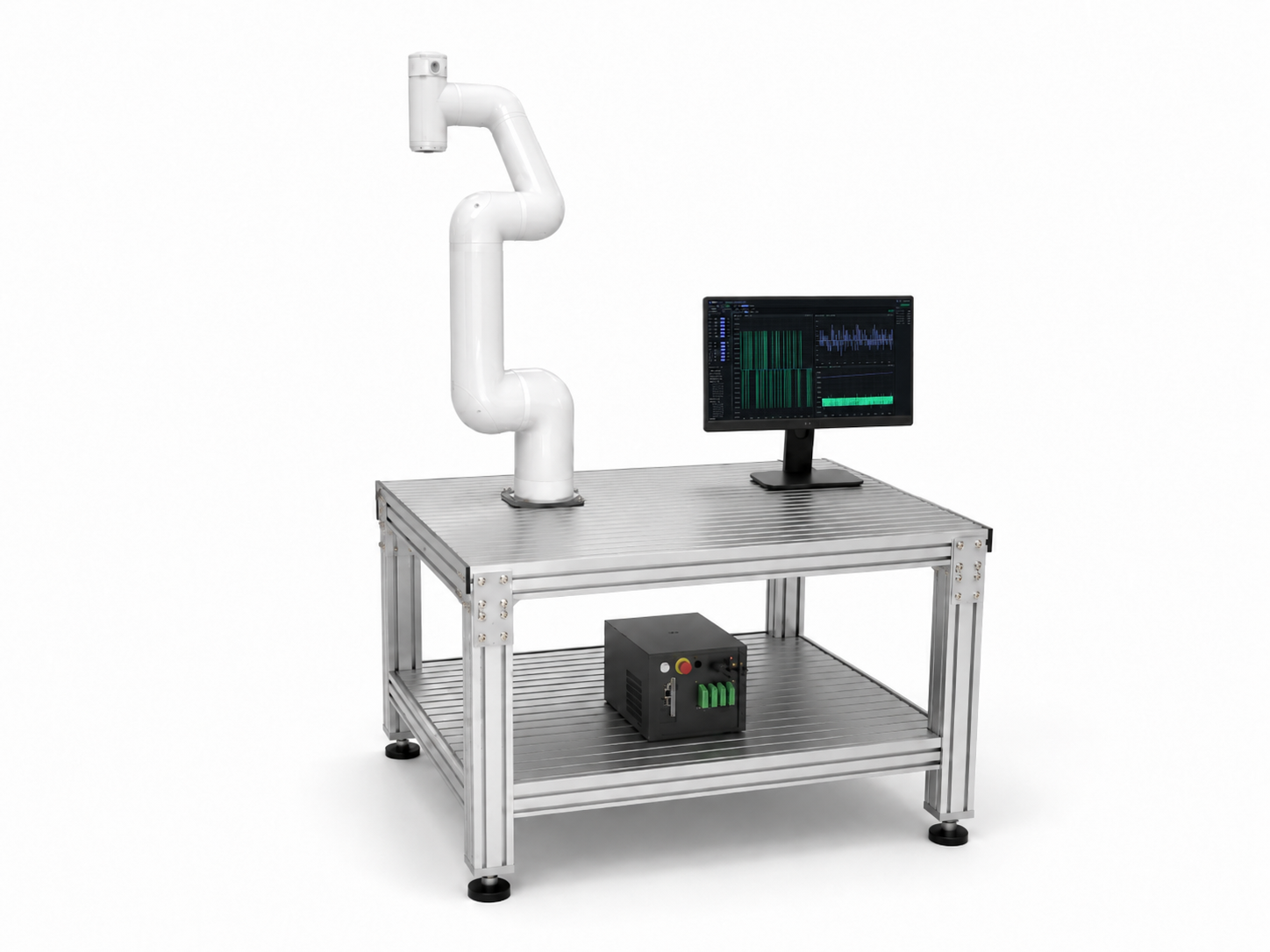
High + low-level, together
Open at torque level · implement control yourself
GPU-integrated controller
AI inference + 1kHz, one box
Multi-robot capable
1 → 4 robots
Runs PLEM Lab GUI
Tune, test, compare real robot motion in one place
Configurations are flexibly quoted to fit your research grant.
Universities and labs using it




Everything a lab needs, in one set
Both high-level and low-level control
Handle high-level control like vision and AI inference alongside low-level motor and torque control — all in one set. Customize whichever layer — high-level or low-level — your research requires.
Customize low-level control algorithms
PID and ADRC are built in, and the control loop is not closed. Reach into the dynamics model (URDF, gravity) and implement the algorithms below in a 1kHz real-time torque loop (C++ plugin, Python — examples on request).
GPU and real-time control in one box
AI inference (NVIDIA Jetson GPU) and 1 ms real-time control run together in a single box. No separate GPU workstation to wire up to the controller — the Docker and research environment come pre-configured.
Multi-robot scaling (1 → 4 robots)
Start with a single-robot configuration and scale to four with the same electrical structure — ready for multi-robot and cooperative-control research.
PLEM Lab · Tuning workbench GUI
Tune on the real robot, customize high and low-level
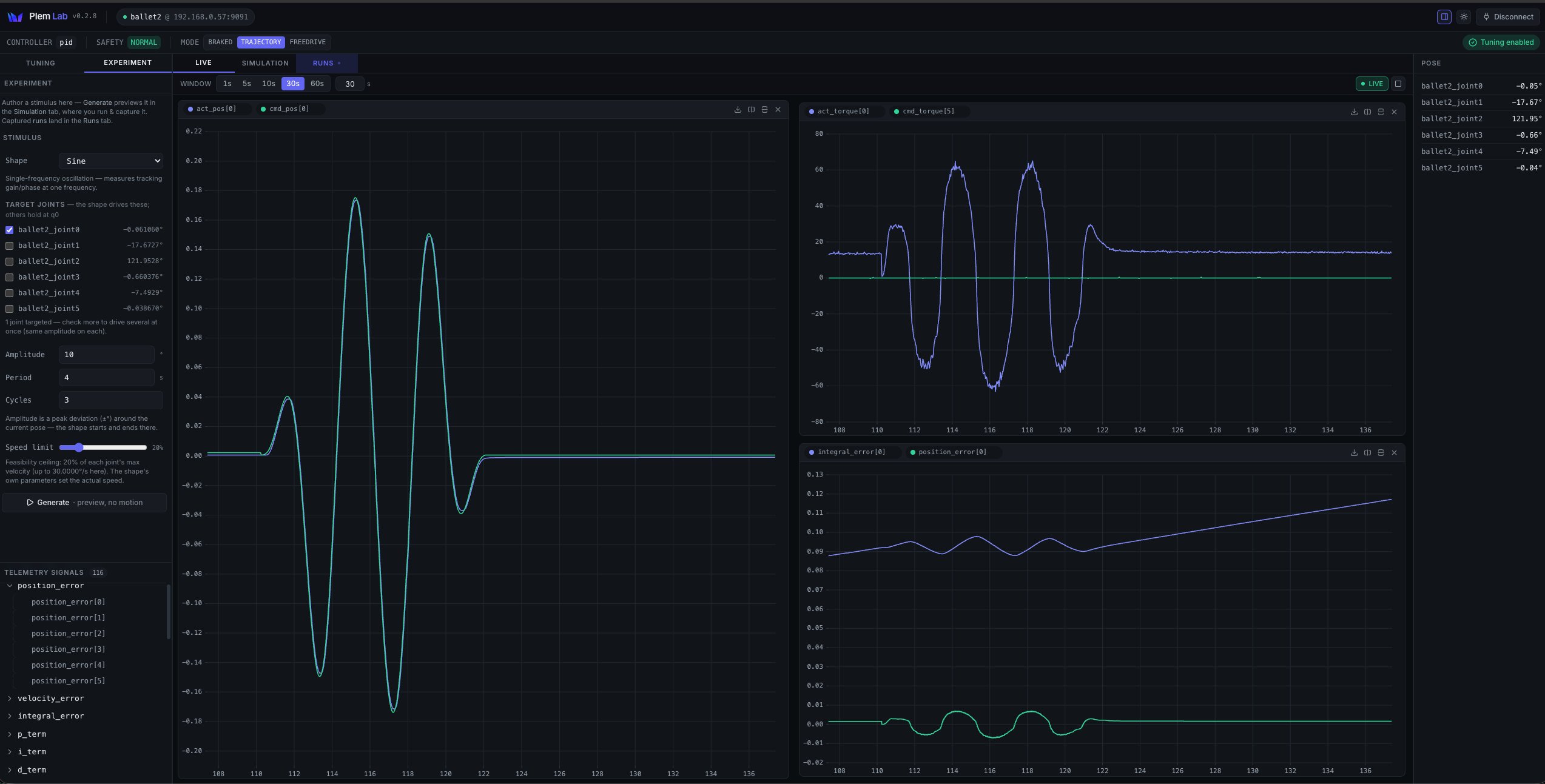
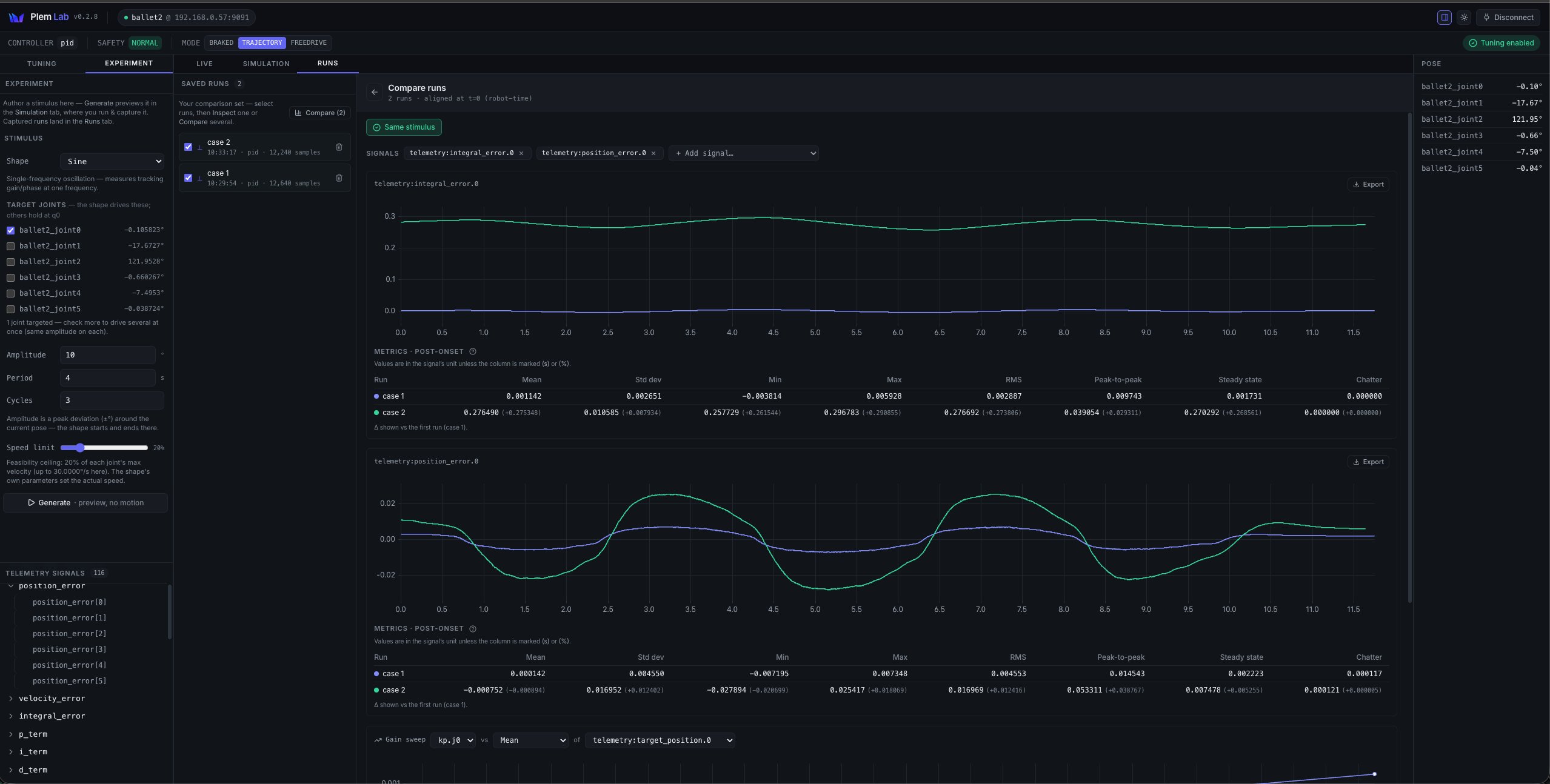
Every research set includes PLEM Lab, a robot control workbench. Gain tuning, experiment design, simulation checks and run comparison, all on one screen. Skip the setup and start your research.
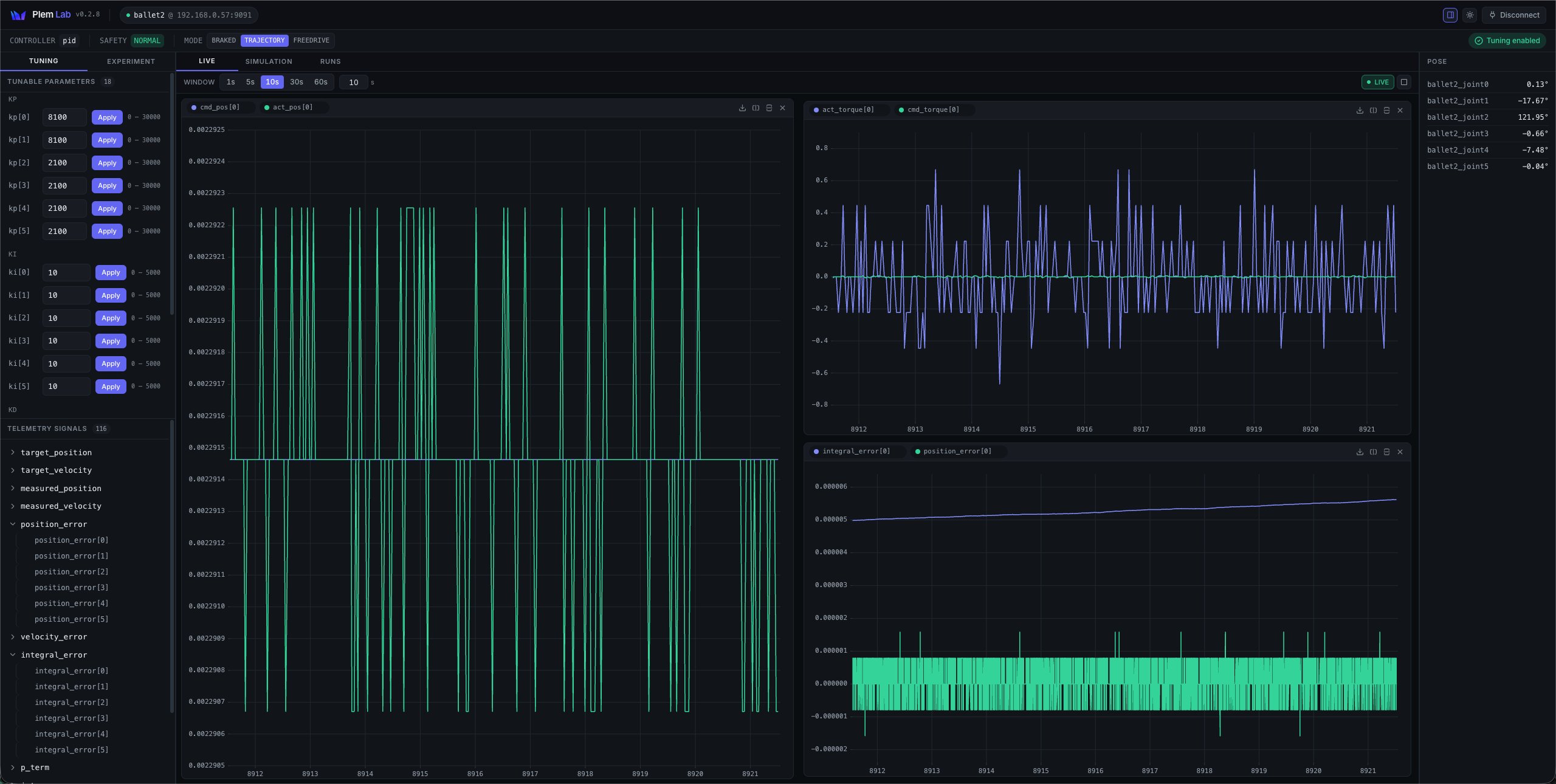
Tune with data, not guesswork
Live tuning & monitoring
Adjust per-joint gains and apply instantly. Over 100 telemetry signals such as position, velocity, error and torque on live charts.
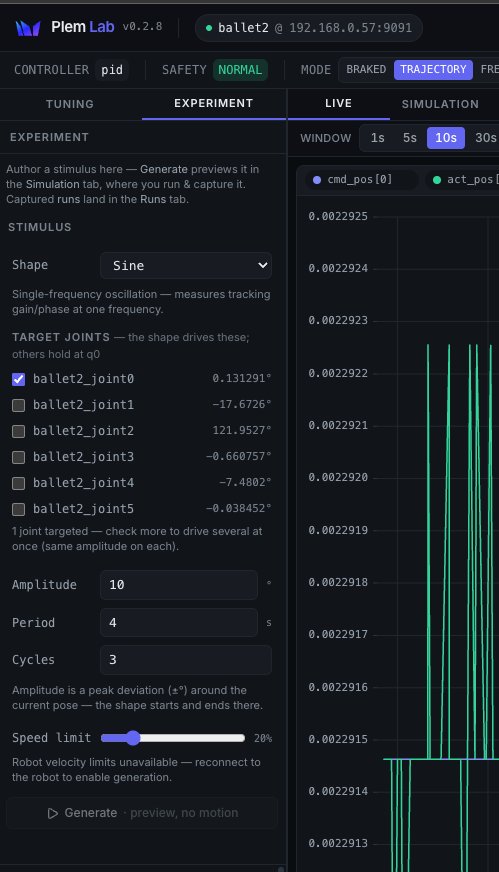
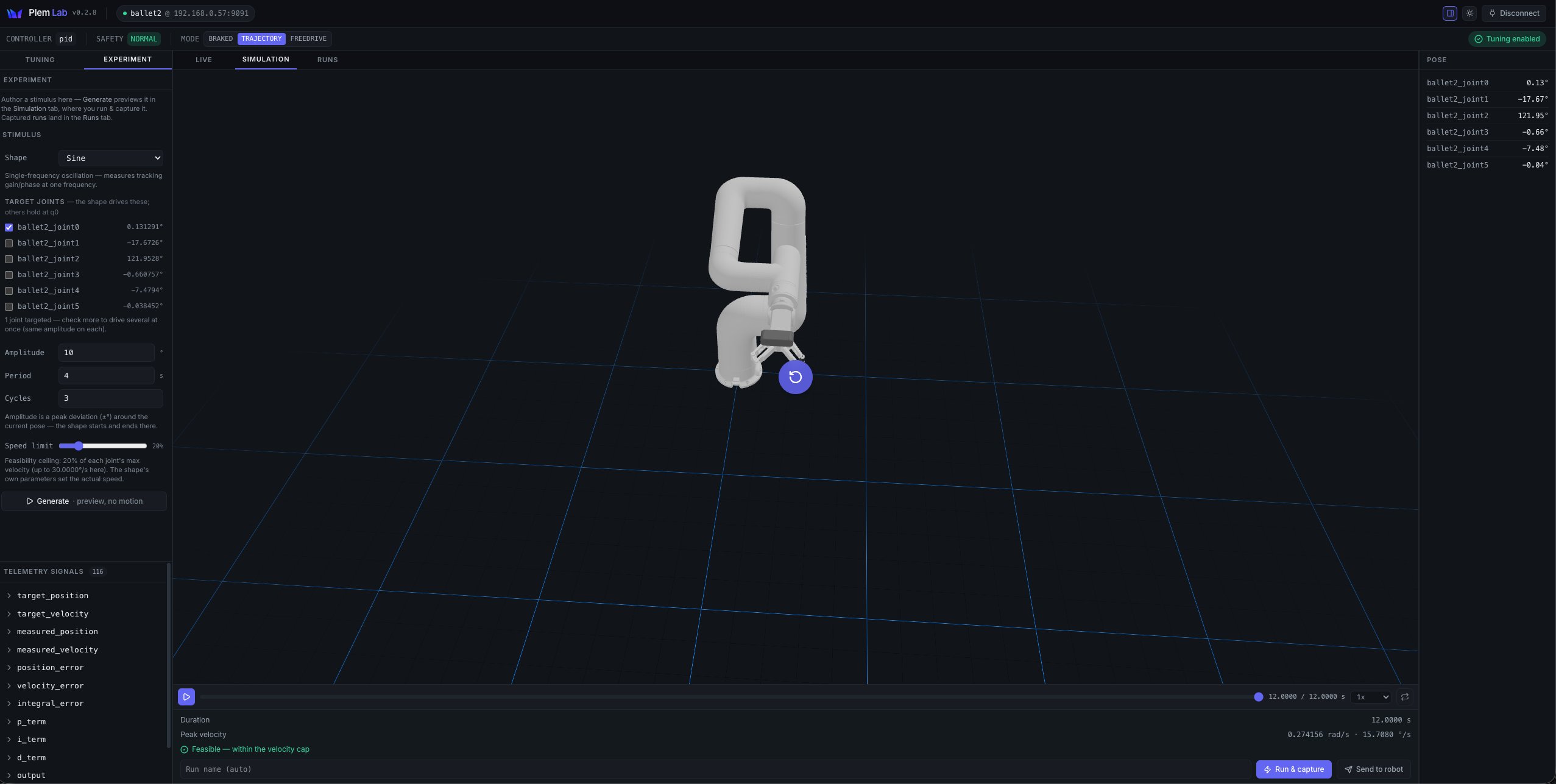
Experiment design & simulation
Design a stimulus and check feasibility in a 3D simulation before running the real robot.
Runs that log and compare
Every run keeps its parameters, so cause and effect line up side by side.
Bring your own controller
The PID on screen is only an example. Drop in your own controller and run the same workflow.
A control loop that is not closed, open all the way down to the torque level. Customize whichever layer, high or low, your research needs.
Connect → Tune → Design → Simulate → Run & capture → Compare
Technical specifications
Robot arm — e.g. 6-axis collaborative robot
- DOF
- 6 (revolute)
- Payload
- 7 kg
- Max reach
- 1.3 m
- Repeatability
- ±0.1 mm
- Joint speed
- 150–180 °/s
- Tool speed
- 1 m/s
- Weight
- 28 kg
Example configuration — other collaborative and industrial arms (EtherCAT/ROS 2) also supported
Controller — WIM Robot Controller
- SoC
- NVIDIA Jetson Orin AGX
- AI compute
- 275 TOPS (INT8)
- Memory
- 64GB LPDDR5
- Control cycle
- 1 ms (1kHz) · jitter ±4.1μs
- Simultaneous axes
- 24
- Fieldbus
- EtherCAT · EtherNet/IP · Modbus TCP
- I/O
- Digital 8 in · 8 out (EtherCAT-expandable)
- Network
- 5× 1Gbps · Wi-Fi · BT
- E-stop
- max 16.32 ms (KIRIA certified)
- Power
- 90–264 VAC (universal)
- Size · Weight
- 238 × 352 × 207 mm · < 11 kg
Software · Control — PLEM
- Platform
- PLEM (ROS 2 native)
- Motion planning
- MoveIt 2 + cuMotion
- Control layers
- High (vision·AI) + low (torque) together
- Control algorithms
- PID·ADRC built-in + custom torque plugin (examples on request)
- Monitored signals
- Joint position · velocity · torque
- AI deployment
- Docker container · model deploy
- Multi-robot
- 1 → 4 robots

We configure it to your research topic and scale
Pricing depends on the configuration. Reach out anytime.